

Colour mode
Give tickets to customers
Ticket Allocation lets you give tickets to one or more customers without them paying. Use it for postal entries, for tickets you are giving as a prize, or as a goodwill gesture. Only admins can use it.
Before you start
- You need to be an admin.
- Each customer must already have an account on your site. Use the email address they registered with. If someone has no account yet, ask them to register first.
- Know which competition and how many tickets for each.
Give the tickets
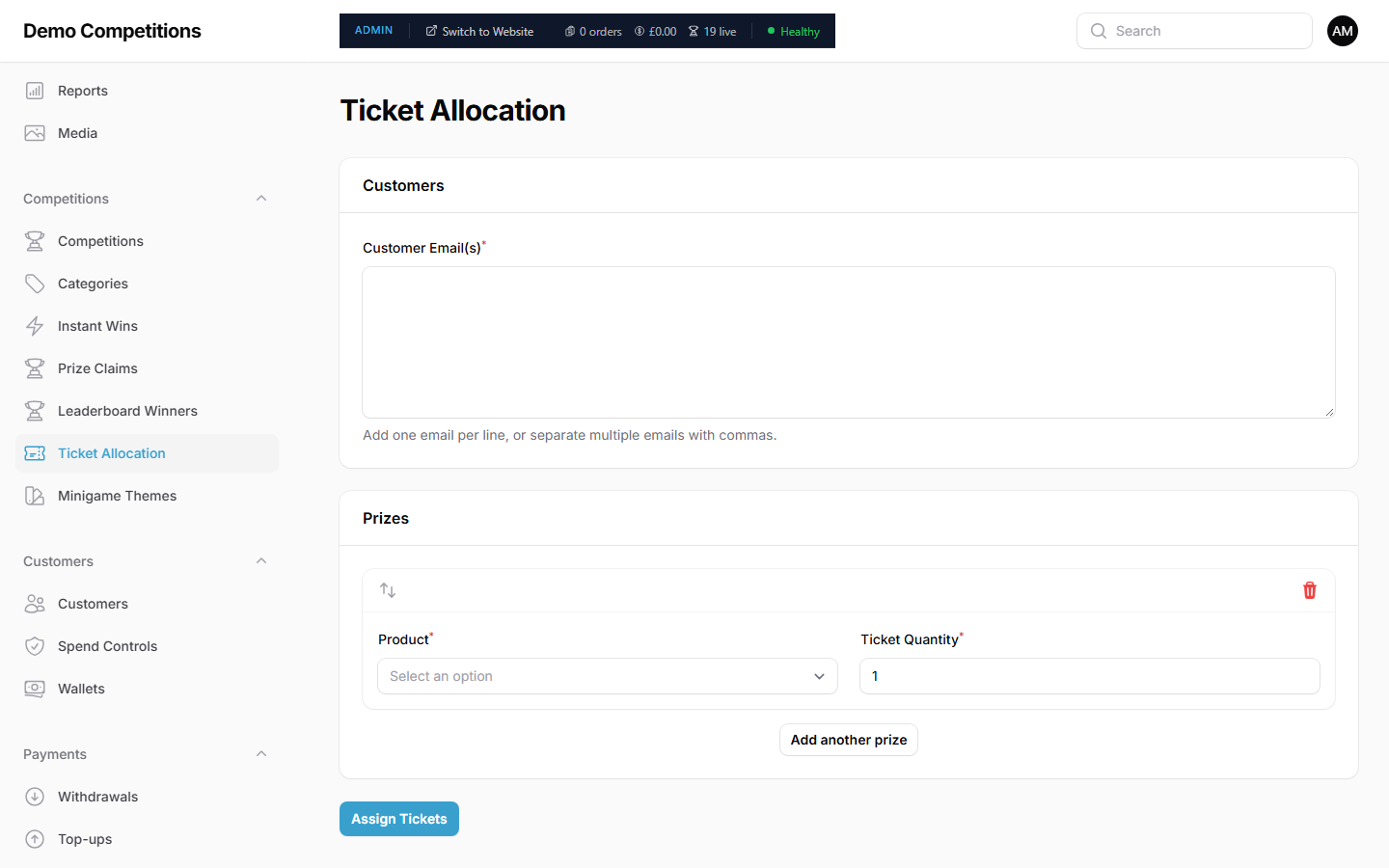
- Open Competitions, then Ticket Allocation.
- Under Customers, type the Customer Email(s). Add one email per line, or separate several with commas.
- Under Prizes, choose the Product. This is the competition. The list shows your active competitions.
- Set the Ticket Quantity.
- To give tickets for more than one competition, click Add another prize and fill in another row.
- Click Assign Tickets.
What happens
A free order is created for each customer, so the tickets show in their account like any others. The usual limits still apply. A customer cannot be given more than the Max tickets per person, and you cannot give more tickets than are left. If the competition has an entry question, it is treated as answered correctly.
Check what was assigned
Below the form is a history table. For each batch it shows the Order #, the customer, the products, how many tickets were requested and allocated, and a status: Pending, Allocating, Allocated, Partial or Failed. Click View Order to open an order.
What your customers will see
The tickets appear in their account and in their order history. They are in the draw like any other ticket.
Tips
- Check the number of tickets left on the competition before you assign.
- If the status is Partial or Failed, open the order to see what happened, and try again for the missing tickets.
- Keep a note of why you gave the tickets.
Common questions
Why does the form say Prize and Product? Those labels mean the competition you are giving tickets for.
Can a moderator use this? No. It is for admins only.
Does this count towards revenue? The order is free, so no money is taken.