

Colour mode
Find and manage your competitions
The Competitions list is the home of all your competitions. Its tabs show you the ones that need attention, and each row has quick actions. This guide shows you around.
Before you start
- Open Competitions, then Competitions in the admin menu.
Use the tabs
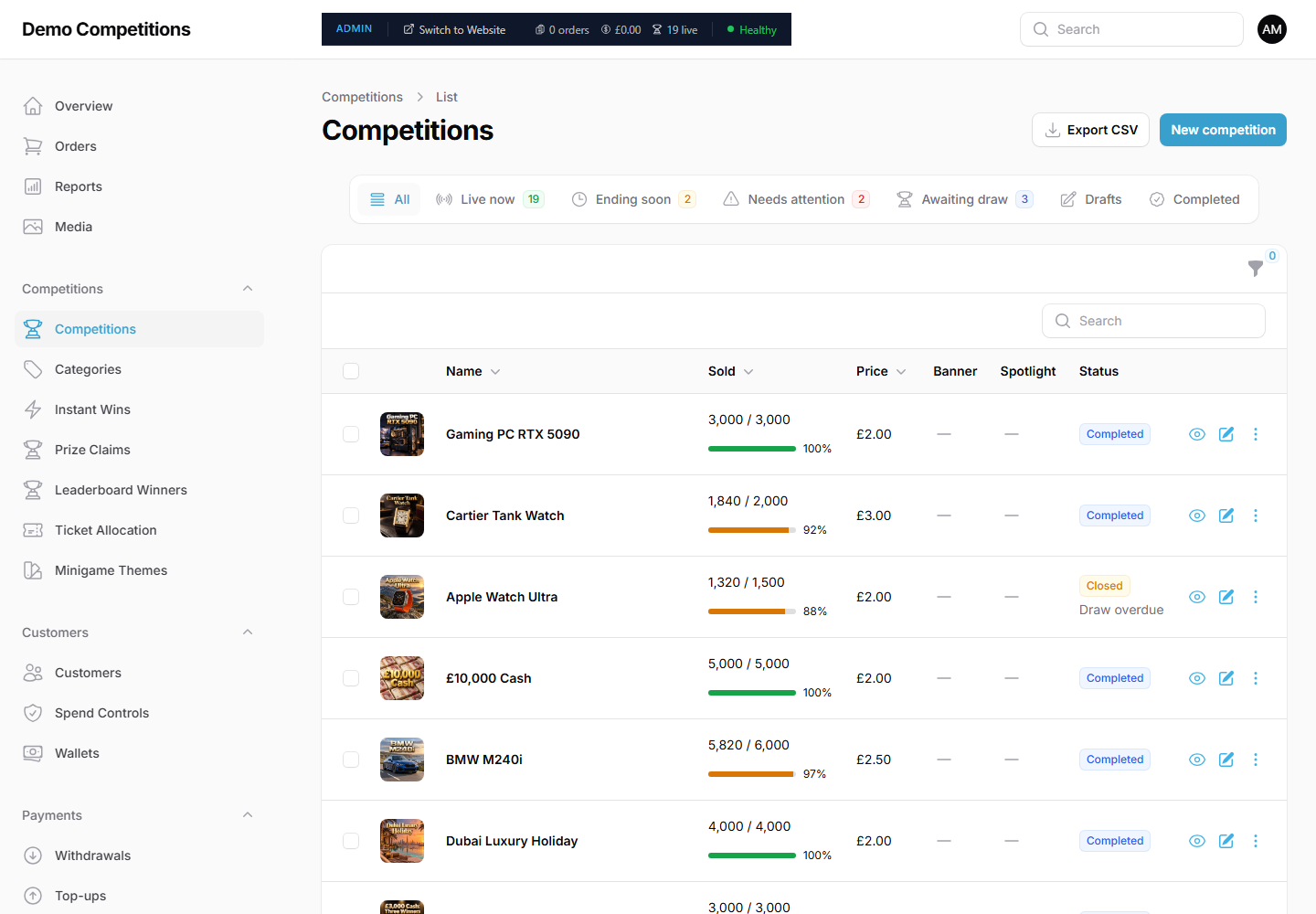
Each tab shows a number where there is something in it.
- All. Every competition.
- Live now. On sale at the moment.
- Ending soon. Ending within 48 hours.
- Needs attention. Still open after its end time, or its draw date has passed with no winner.
- Awaiting draw. Closed and waiting for the winner to be drawn.
- Drafts. Not yet on sale.
- Completed. The draw has been made.
Read each row
Each row shows the picture and Name, how many tickets are Sold with a progress bar, the Price, whether it is in the Banner or has a Spotlight, and its Status. Small notes under the name show what the competition has, such as instant wins, a mini game, Collect Sets or Early Bird. Notes under the status show things like "Ends in 2 days", "Draw overdue" or "Awaiting draw".
Search and filter
- Use the Search box to find a competition by name.
- Click the funnel icon for Filters. You can filter by status, category, banner, spotlight, autodraw, instant wins, mini game, Collect Sets, Early Bird, almost sold out (80% or more) and ending within 7 days.
Do things to one competition
On the right of each row:
- The eye icon is Quick look. It opens a panel with the main details and an Open competition button.
- The pencil icon is Edit.
- The three dots open a menu: View on website, Copy link, Export tickets, Duplicate and, for live competitions, Close now. Delete appears for competitions that have never had an order.
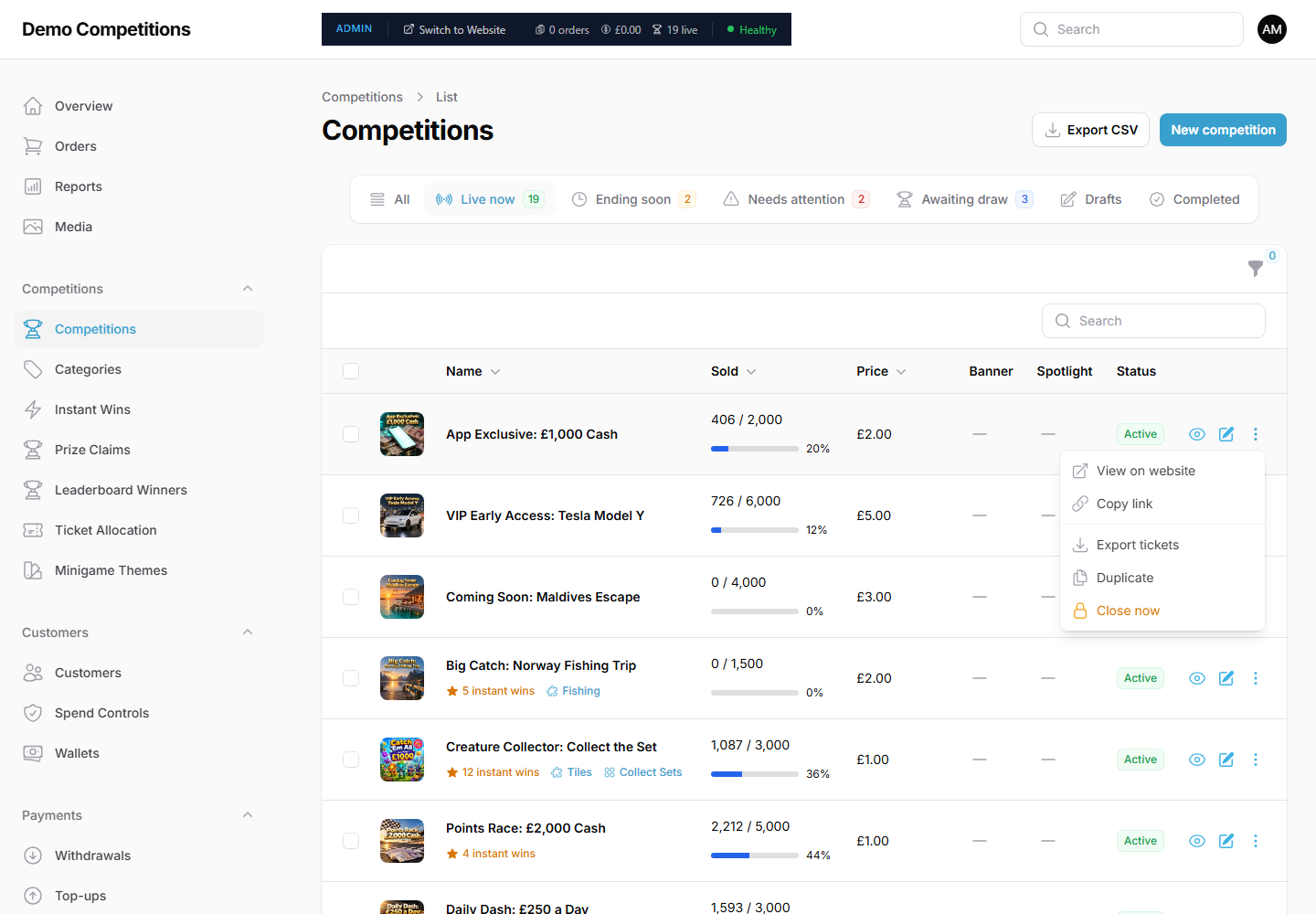
Export tickets includes customer email addresses, so only admins see it.
Do things to several competitions
Tick the boxes beside competitions, then use the bulk actions menu to add them to or remove them from the banner, or to make or remove a spotlight.
Export the list
Click Export CSV at the top to download the list. Only admins see this button.
What your customers will see
Nothing changes until you edit a competition or change its status.
Tips
- Check the Needs attention tab every day.
- Use Copy link to share a competition in an email or on social media.
Common questions
Why does a competition say "Draw overdue"? It is closed and its draw date has passed with no winner. See Draws and winners.
Why can I not see Close now? It only shows for competitions that are active. A moderator also needs permission to close competitions and draw winners.