
Colour mode
Choose who can enter
By default every customer can buy tickets. You can also give people who use your installed app a head start, or keep a competition for them only. This is set on each competition.
Before you start
- Your customers can add your site to their phone's home screen to use it like an app. This setting only makes sense if you are encouraging that.
Set who can enter
- Open your competition.
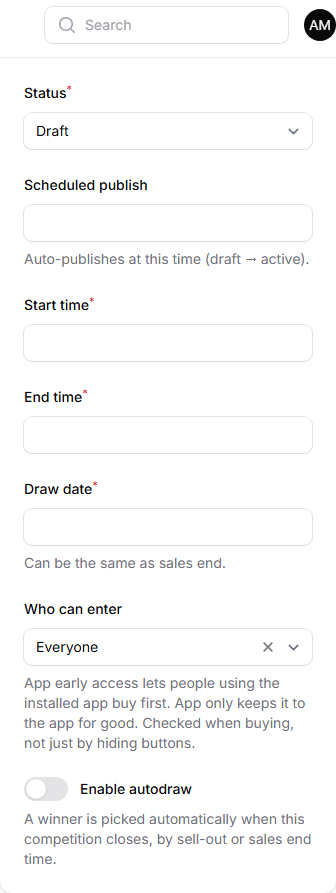
- In the Schedule & Status panel, find Who can enter.
- Choose one of:
- Everyone. Anyone can buy.
- App early access. People using the installed app can buy first. Pick a date and time in Opens to everyone at, and everyone else can buy from then.
- App only. Only people using the installed app can buy, for good.
- Click Save changes.
What your customers will see
On a competition that is limited to the app, the competition page shows a content box telling customers they need to download the app to enter. The box has buttons showing how to download or get the app.
Customers who are not using the app cannot buy. The check is made when they try to buy, so it cannot be got round by hiding buttons.
Tips
- Use App early access to reward people who install your app, without shutting anyone out for good.
- Tell your customers how to install the app on your site before you use this setting.
Common questions
Does this change the price? No. It only changes who can buy.