

Colour mode
Set up free postal entry
A free postal entry route lets people enter without paying. It must be shown as prominently as paid entry and be equally easy to use. You set your address and terms once for your whole site, and you add a postal entrant's tickets yourself.
Before you start
- Have your postal address ready, and write the terms you want to apply, such as one entry per envelope and what a customer must include.
- You need to be an admin.
Add your address and terms
- Open Settings, then Business & Site Settings.
- Find the section Free Postal Entry Route.
- In Postal address for free entries, type the address players post their entry to.
- In Default free entry terms, write the rules. For example, what to include and any received-by deadline.
- Click Save Settings.
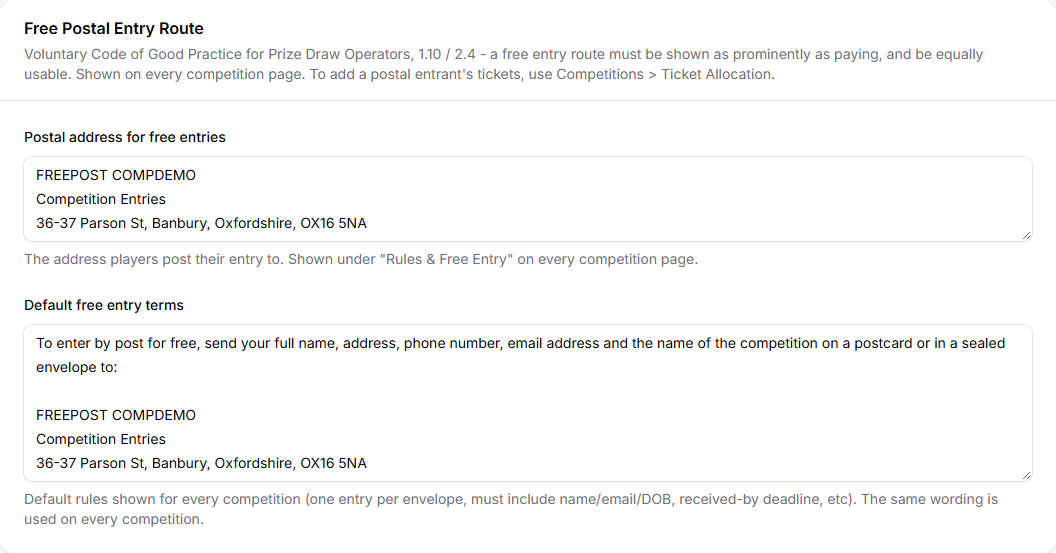
The same wording is used on every competition. You can also write it with the Setup Wizard. See Run the Setup Wizard.
Record a postal entry
When an entry arrives by post, you add the tickets yourself.
- Open Competitions, then Ticket Allocation.
- Add the customer's email address.
- Choose the competition and the number of tickets.
- Click Assign Tickets.
See Give tickets to customers for the full steps. Ticket Allocation is the way to record postal entries. There is no separate postal entries screen.
What your customers will see
On each competition page, your free entry address and terms appear under Rules & Free Entry, in a section called Free Postal Entry Route.
Tips
- Treat postal entries the same as paid entries. They should have the same chance of winning.
- Keep a record of every postal entry you receive.
Common questions
Can I use different terms for one competition? Not at the moment. The terms are the same on every competition.
Do postal entrants need an account? Yes. Tickets are given to an existing customer account, using its email address. If a postal entrant has no account yet, ask them to register on your site first. See Give tickets to customers.