

Colour mode
Duplicate a competition
If you run similar competitions, copy one instead of starting from scratch. The copy is saved as a draft, so nothing goes on sale until you are ready.
Before you start
- Find the competition you want to copy. See Find and manage your competitions.
Duplicate it
- Open Competitions, then Competitions.
- On the row of the competition you want to copy, click the three dots.
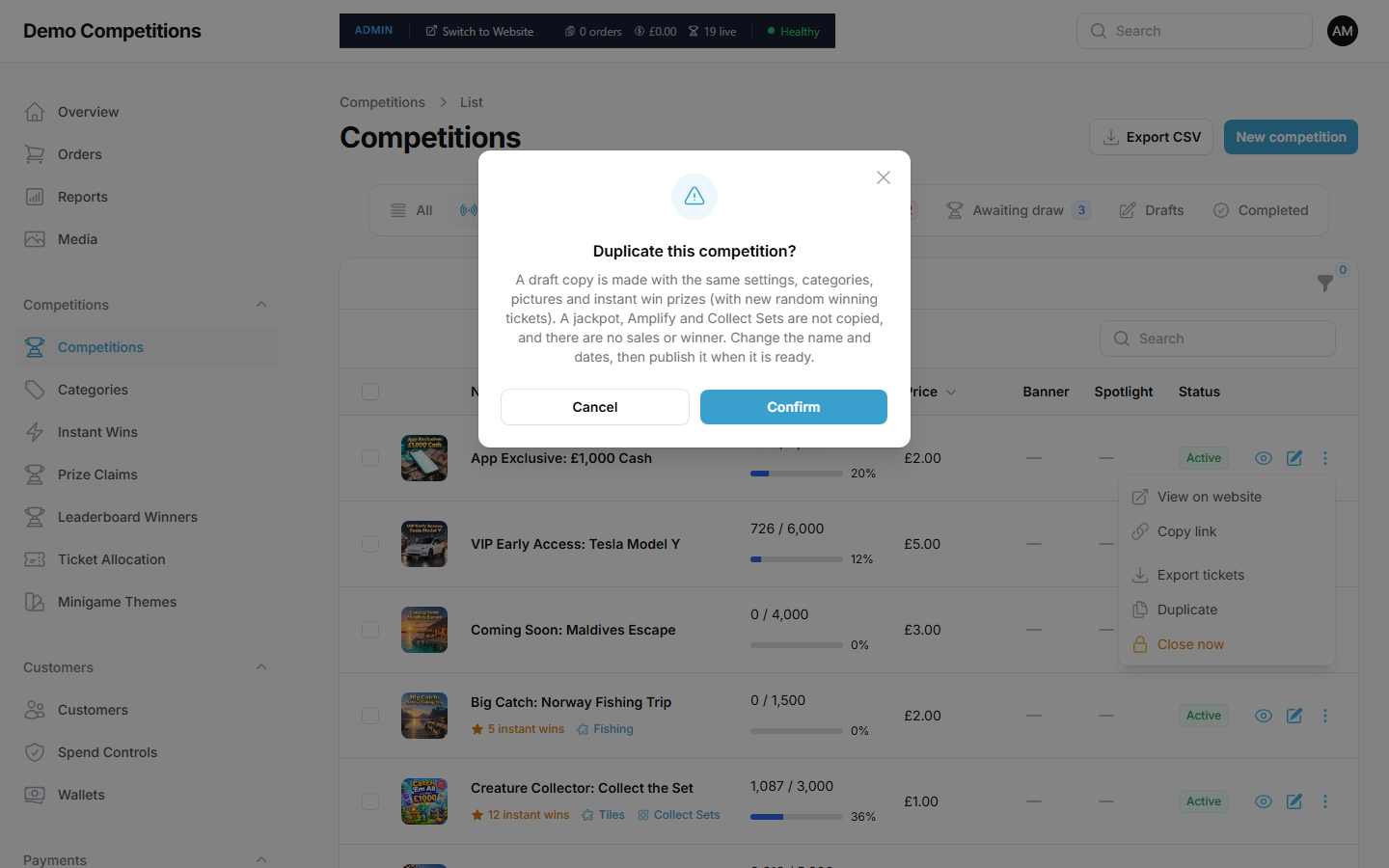
- Click Duplicate.
- Read the message, then click Confirm.
What is copied
The new competition is a Draft with the same settings, categories, pictures and instant win prizes. The instant wins get new random winning ticket numbers. The copy's name starts with "Copy of".
What is not copied
- A jackpot, Amplify and Collect Sets.
- Sales, tickets and any winner.
- Banner and spotlight placement, and any scheduled publish time.
Finish the copy
- Open the new competition.
- Change the Name.
- Set new Start time, End time and Draw date.
- Add anything that was not copied, such as a jackpot.
- When it is ready, set Status to Active.
What your customers will see
Nothing until you publish the copy.
Tips
- Look through every tab of the copy. It is easy to leave an old date or name by mistake.
- The ticket numbers for the copy are made when it is created, so it takes a short while before it can go on sale.
Common questions
Will the copy have the same winners? No. It has no sales and no winner.
Can I duplicate a closed competition? The Duplicate action is in the menu for each competition in the list.